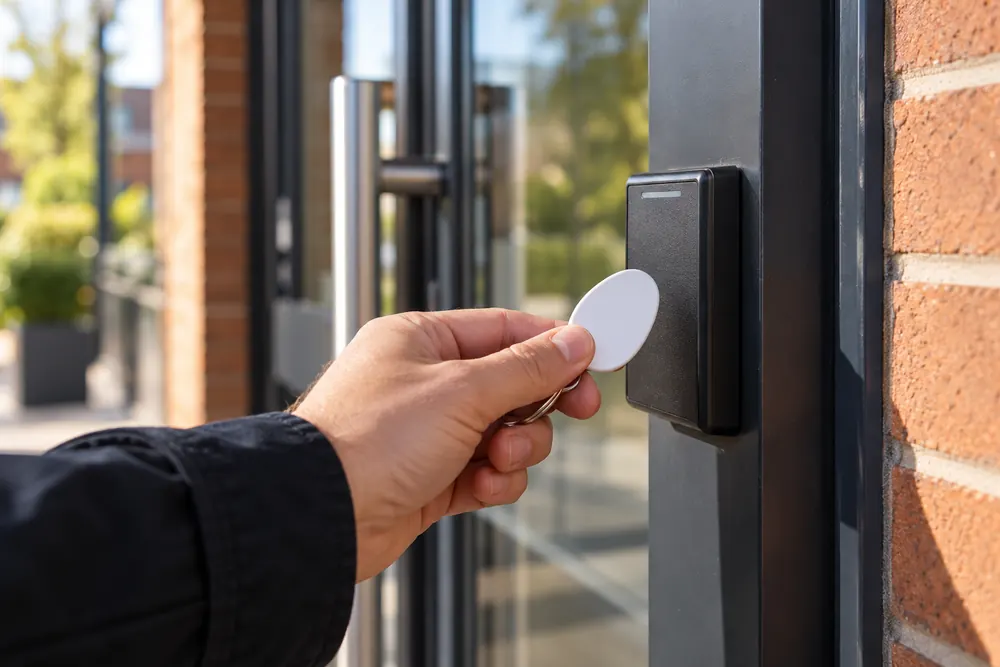
Access That Fits Your Working Day
Access control systems in Leicester should reflect how your premises actually work. A shared office entrance, a warehouse staff door and a school reception need different permissions, hardware and management arrangements. We help define those requirements before equipment is selected.
Start with the doors people use, the spaces they need and the times they should be admitted. Include cleaners, contractors and temporary staff rather than designing only for permanent employees. A useful system makes everyday arrivals straightforward while keeping restricted rooms separate.
Electronic access can replace shared keys with individually managed credentials. Lost credentials can be disabled without changing every lock, provided the system is administered correctly. Access history may help investigate an event, but it does not prove who physically walked through a door.
Readers, Locks And Permissions
A standalone reader can suit a single door where local administration is practical. A networked controller is more useful when permissions must change across several doors or buildings. Cloud management can help a dispersed facilities team, but connectivity, subscriptions and responsibility for updates need to be clear.
The reader is only one part of the installation. Lock choice depends on the door material, frame strength, closing action and escape requirements. Electric strikes, motorised locks and magnetic locks have different behaviours when power is lost and must be selected around the actual opening.
Check how staff will be enrolled and removed, who can change permissions and how lost fobs are reported. Define access groups around roles instead of giving everyone unrestricted access. Shared administrator logins make it harder to understand who changed a setting.
Escape, Fire Doors And Personal Data
A security upgrade must preserve safe escape. The Regulatory Reform (Fire Safety) Order 2005 is relevant to non-domestic fire precautions in England and Wales, including emergency routes. Locking arrangements should be reviewed with the premises fire risk assessment and responsible person before the design is agreed.
An electrically secured door needs an agreed release strategy, appropriate hardware and testing. Modifications to a fire door must preserve its required performance. GOV.UK explains that emergency doors must be readily openable in an emergency. See the workplace evacuation guidance.
Named access logs are personal information. Agree why records are needed, who may view them and how long they are retained. The NSI access control guidance also describes risk assessment and the importance of considering each access point.
From Door Survey To Handover
First, list every controlled opening and inspect its condition, hinges, closer and existing lock. Identify cable routes, power supplies and network connections. A failing door closer should be repaired before an electronic lock is expected to secure the opening reliably.
Next, agree the permission schedule and door behaviour during normal use, power loss and emergency release. Installation can then be planned around deliveries, staff arrivals and tenant access. Where an entrance must stay in use, temporary arrangements need to be agreed in advance.
At commissioning, test a permitted credential, a rejected credential, door closing and the release arrangements. Handover should cover administrator training, an equipment schedule and the removal of temporary installation accounts. Ask for the final configuration and maintenance responsibilities in writing.
What Affects An Access Control Quote
The number of doors alone does not determine the cost. Frame repairs, fire door requirements, concealed cabling, network availability and the management platform all affect the scope. Reusing compatible equipment may be possible, but condition and support status need checking first.
Ask for hardware, installation, software licences and ongoing support to be separated in the quotation. Confirm who owns the administrator account and how data or settings can be exported. If the premises are leased, obtain the landlord permissions needed for changes to doors and frames.
For visitor calls, combine the brief with commercial door entry. Where entrance events need a visual record, consider CCTV installation with a defined viewing purpose. Tell us your door count and current arrangements when you request a site discussion.
Your Questions, Answered
Can Existing Doors Have Access Control Added?
Existing doors can often have access control added after their condition, construction and escape role are checked. The survey should assess the frame, closer, lock position and suitable cable routes. Fire doors need particular care, and a damaged or poorly closing door may require remedial work before an electronic lock can work reliably.
What Happens If An Access Fob Is Lost?
A lost access fob should be reported to the person who manages the system so its permission can be removed. The exact procedure depends on whether credentials are managed locally or centrally. Keep a record of issued fobs, avoid shared credentials where practical and agree who handles a loss outside normal office hours.
Will Access Control Work During A Power Cut?
Access control behaviour during a power cut depends on the locks, controller and backup arrangements. Some openings must release, while other doors may remain secured with a separate escape mechanism. The design should record each door’s intended behaviour and test it against the fire strategy rather than applying the same setting everywhere.